How to Practice USMLE Step 3 CCS Cases
Computer-based Case Simulations (CCS) are part of the second day of USMLE Step 3. Practice using the official interface to enter orders, advance simulated time, and follow changes in a patient’s condition. Then rehearse complete cases and review the sequence of decisions you made.
Learn the interface with the official practice cases
Use the USMLE CCS walkthrough and sample cases. Pay attention to where you submit orders, where report times appear, and how you choose when to advance time. The on-screen clock moves the case forward. Your real-time limit is the time you have to work on the case.
A clock exercise you can repeat
In an official practice case, pick a pending result and note its scheduled report time. Before advancing the clock, say when you would want the next update and why. Advance to the relevant point, read the information that arrives, and decide whether it changes your next action. During review, record if the issue was a delayed decision, an unconfirmed order, or advancing the clock before checking the report time.
Rehearse one complete case at a time
- Read the initial presentation and identify the setting and immediate priorities.
- Enter and confirm your decisions in the case interface. Check when the results or follow-up information are expected.
- Advance the clock, review the information you receive, and decide which action comes next.
- After the case, use the feedback to identify one order-entry, timing, or reassessment decision to practice on the next case.
Add case variety as you build a routine
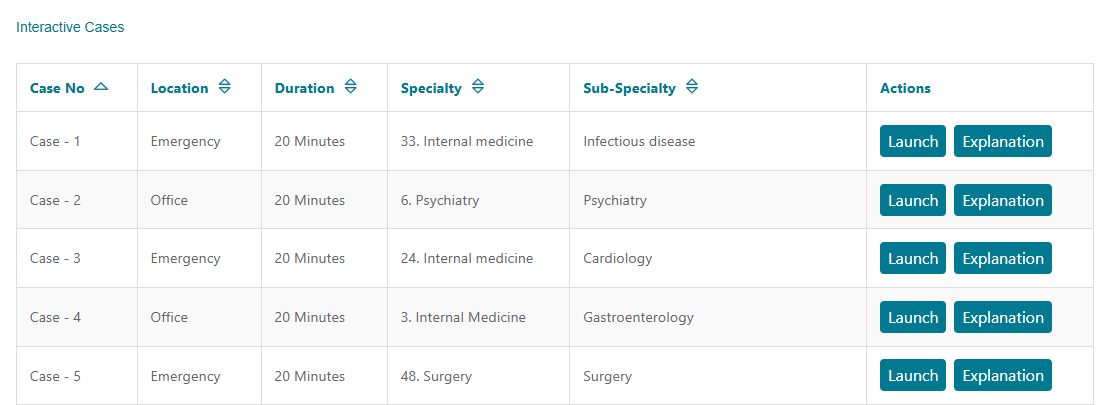
Practice cases with different settings and pacing so you have to decide how soon to recheck the patient. Fighter’s CCS practice cases let you review scenarios by diagnosis, and interactive cases let you enter orders, advance time, and read feedback. Keep the official USMLE materials in your routine for interface practice.
With an eligible plan, open CCS Module in Fighter. Use a practice case to walk through the reasoning at your own pace. Then pick an interactive case and complete it without pausing to look up the explanation. On a second case, focus on whether you handled timing and reassessment more effectively. Compare the sequence of decisions, including what you checked before changing the patient’s location or advancing time.
See the official Step 3 format for the exam-day schedule.